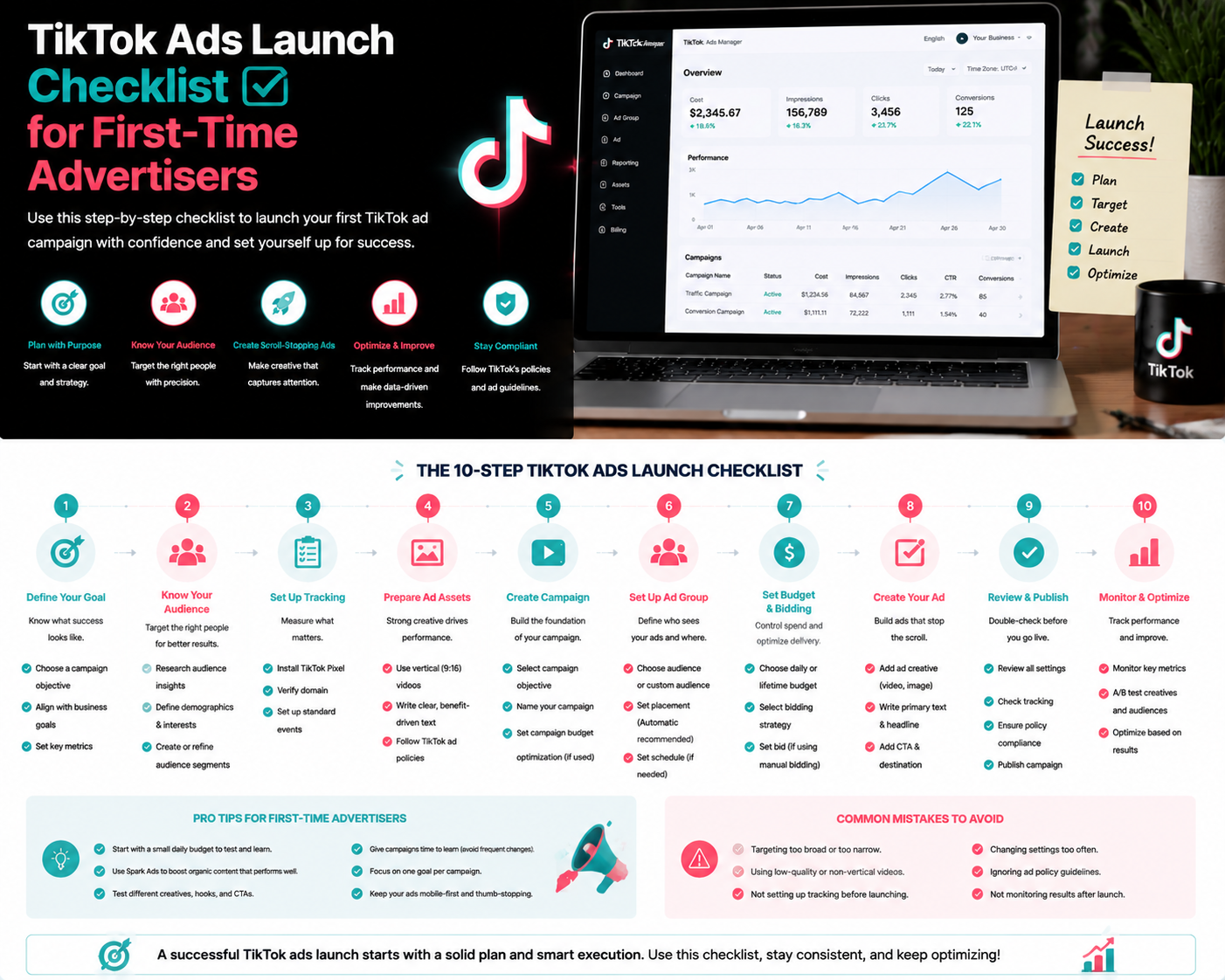
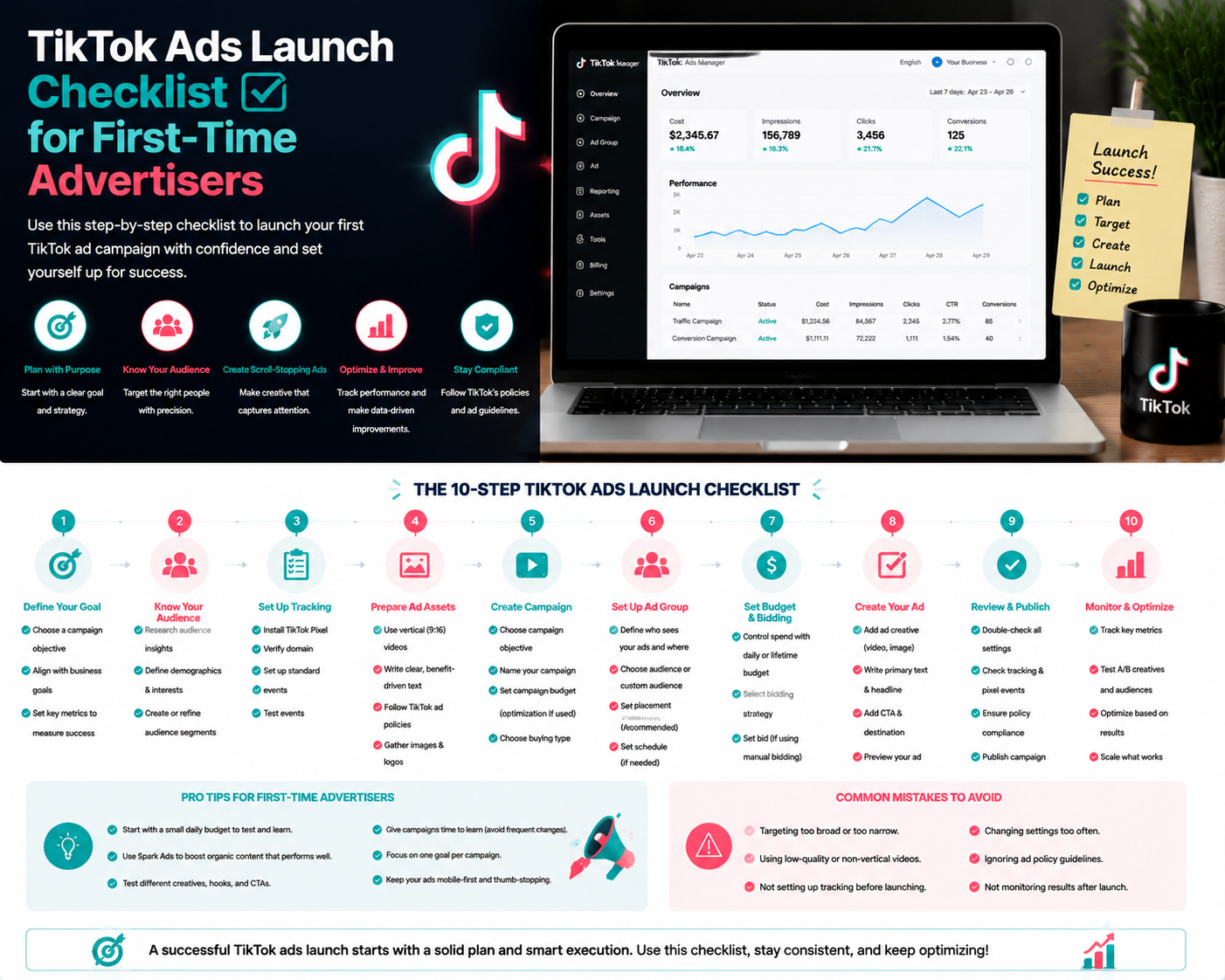
TikTok Ads Launch Checklist for First-Time Advertisers
Launching your first TikTok ad can be exciting but overwhelming. Using a structured checklist helps first-time advertisers ensure nothing is missed and campaigns are set up for success.
1. Business Account Setup
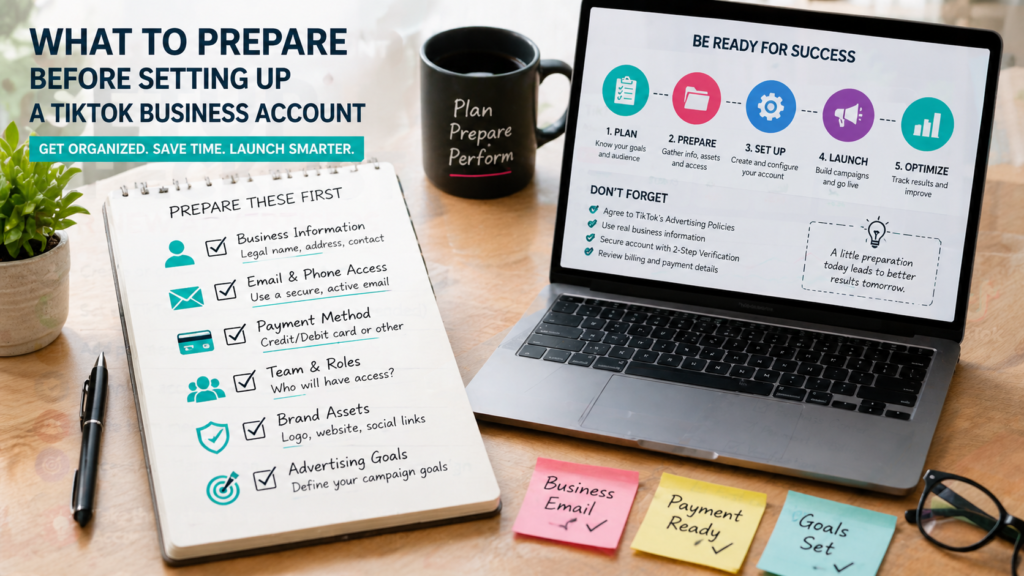
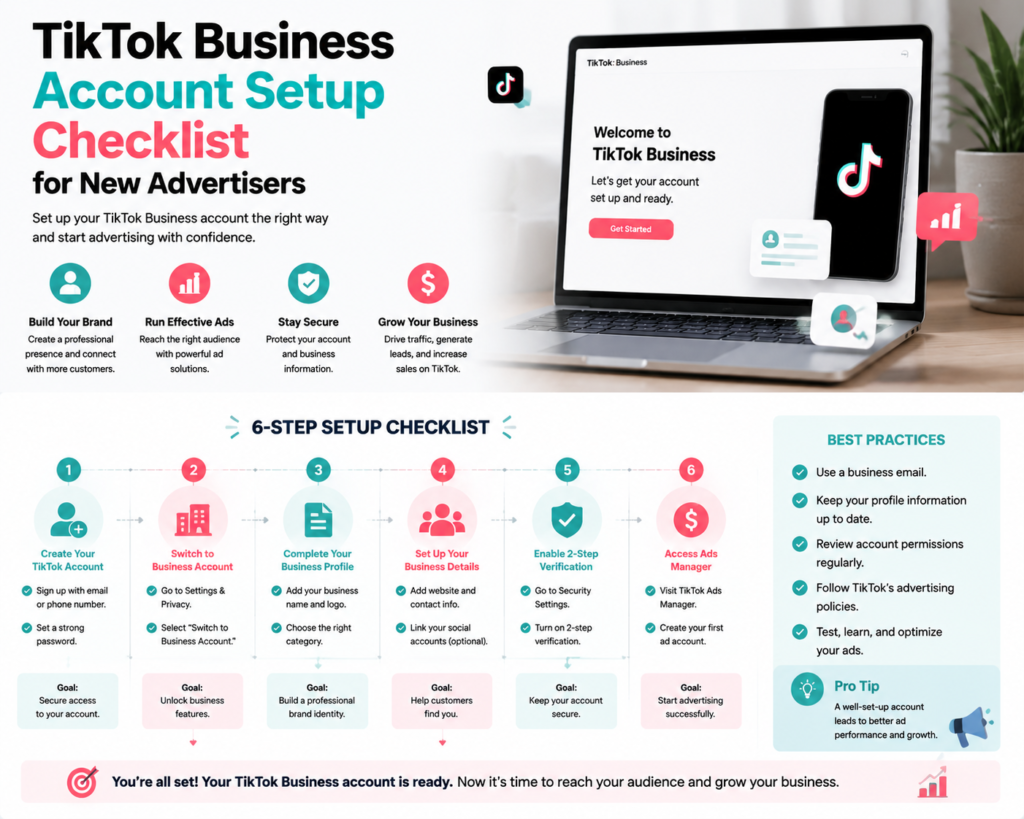
- Create a TikTok Business account.
- Complete business profile including name, website, and industry.
- Verify account and set strong login credentials.
- Add user roles and permissions if working with a team.
2. Payment Method
- Add a valid payment method accepted by TikTok (credit card, PayPal, or local options).
- Ensure billing information matches your business entity.
- Set a daily or lifetime budget for initial campaigns.
3. Campaign Objective
- Define your campaign goal: traffic, app installs, conversions, or brand awareness.
- Set measurable KPIs to monitor performance.
4. Audience Targeting
- Identify target demographics, interests, and behaviors.
- Consider starting broad and narrowing based on performance data.
5. Creative Preparation
- Create high-quality vertical video or image creatives.
- Include clear messaging, branding, and calls-to-action.
- Prepare multiple variations for testing and optimization.
6. TikTok Pixel & Conversion Tracking
- Install TikTok Pixel on your website or app for tracking conversions.
- Ensure key actions like sign-ups, purchases, or leads are tracked.
- Test the Pixel to confirm proper functionality.
7. Ad Group & Placements
- Set up ad groups within your campaign.
- Define budget allocation, schedule, and bidding strategy.
- Choose placements on TikTok and partner apps.
8. Review & Submit
- Check all ad settings, targeting, creatives, and budgets.
- Ensure compliance with TikTok ad policies.
- Submit ads for review.
9. Monitoring & Optimization
- Track key metrics such as CTR, CVR, CPA, and ROAS.
- Test different creatives and audiences.
- Adjust targeting, budget, and creative based on performance.
Quick Launch Checklist
- ✅ TikTok Business account created and verified.
- ✅ Payment method added and billing verified.
- ✅ Campaign objective defined and KPIs set.
- ✅ Target audience identified.
- ✅ Creative assets prepared and tested.
- ✅ TikTok Pixel installed and functioning.
- ✅ Ad group and placements configured.
- ✅ Ads reviewed and submitted for approval.
- ✅ Monitor and optimize campaign performance.
FAQs
Q: Can I launch multiple campaigns at once?
A: Yes, but first-time advertisers should start small to test audience and creative effectiveness.
Q: How long does ad review take?
A: TikTok typically reviews ads within 24 hours, but timing may vary.
Q: Is TikTok Pixel required?
A: It’s optional, but highly recommended to track conversions and optimize ads.
Final Thoughts
Following this checklist ensures a smooth launch for first-time TikTok advertisers. Proper setup, creative preparation, targeting, and tracking are key to campaign success. Growifylab offers tips and tools to simplify your first TikTok ad campaign and improve results.