TikTok Ads Manager Explained for Beginners
TikTok Ads Manager is the central hub for creating, managing, and optimizing your TikTok advertising campaigns. For beginners, understanding its structure, features, and capabilities is essential to running successful ads and maximizing ROI.
What is TikTok Ads Manager?
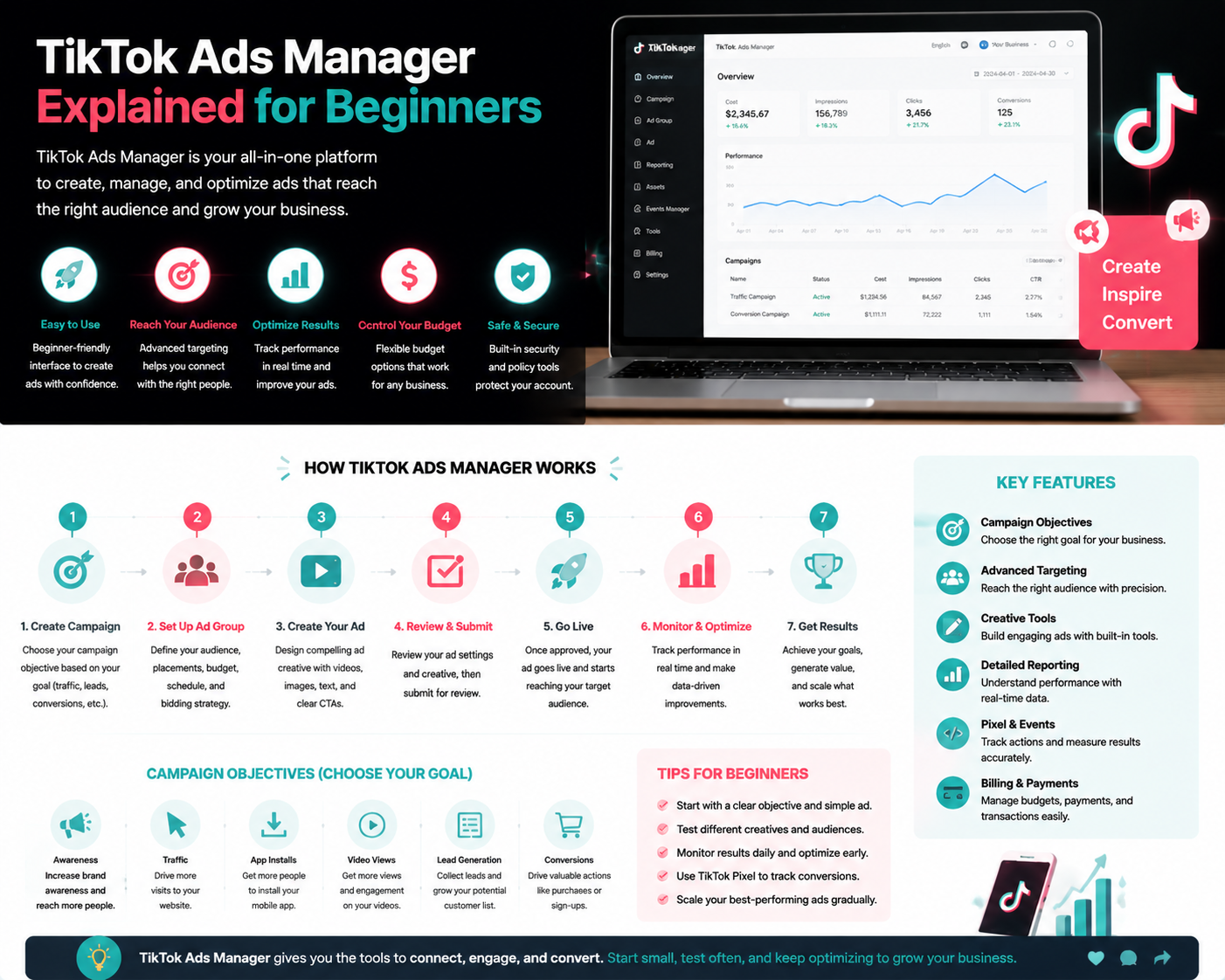
TikTok Ads Manager is an online platform where businesses and advertisers can:
- Create and launch ads on TikTok.
- Manage targeting, budget, and placements.
- Track performance metrics and conversions.
- Optimize campaigns using data-driven insights.
Setting Up Your TikTok Ads Manager Account
Before launching your first ad, you need to set up a TikTok Ads Manager account:
- Sign up using a business email or TikTok account.
- Provide business details such as legal name, website, and industry.
- Set up billing information for ad payments.
- Optionally, install the TikTok Pixel on your website for tracking conversions.
Understanding the Ads Manager Dashboard
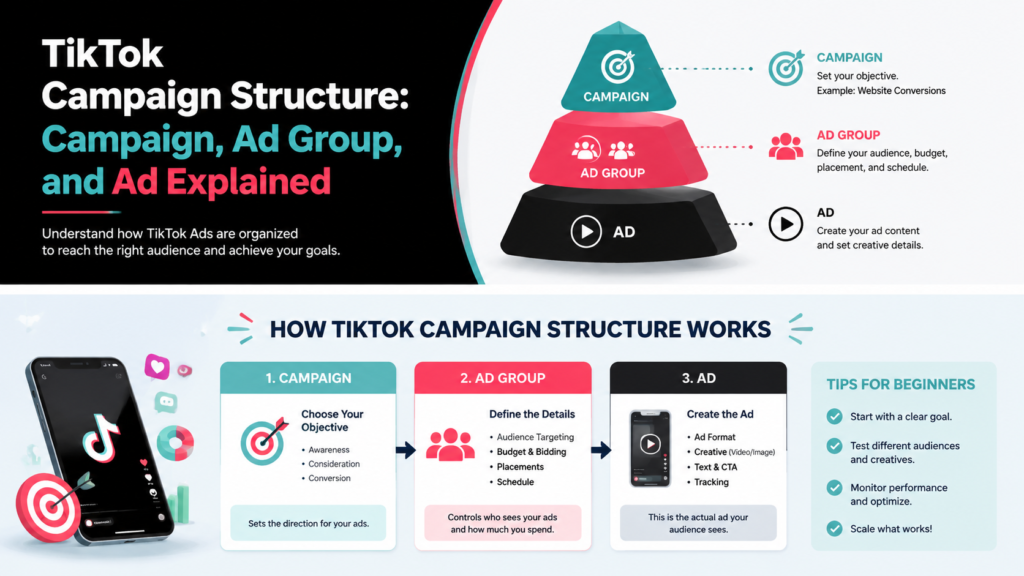
The dashboard is divided into key sections:
- Campaigns: Manage all your campaigns and objectives.
- Ad Groups: Control audience targeting, placements, and budget.
- Ads: Upload creative content including videos, captions, and CTAs.
- Analytics: Track performance metrics like CTR, CVR, CPA, ROAS, and more.
Key Features for Beginners
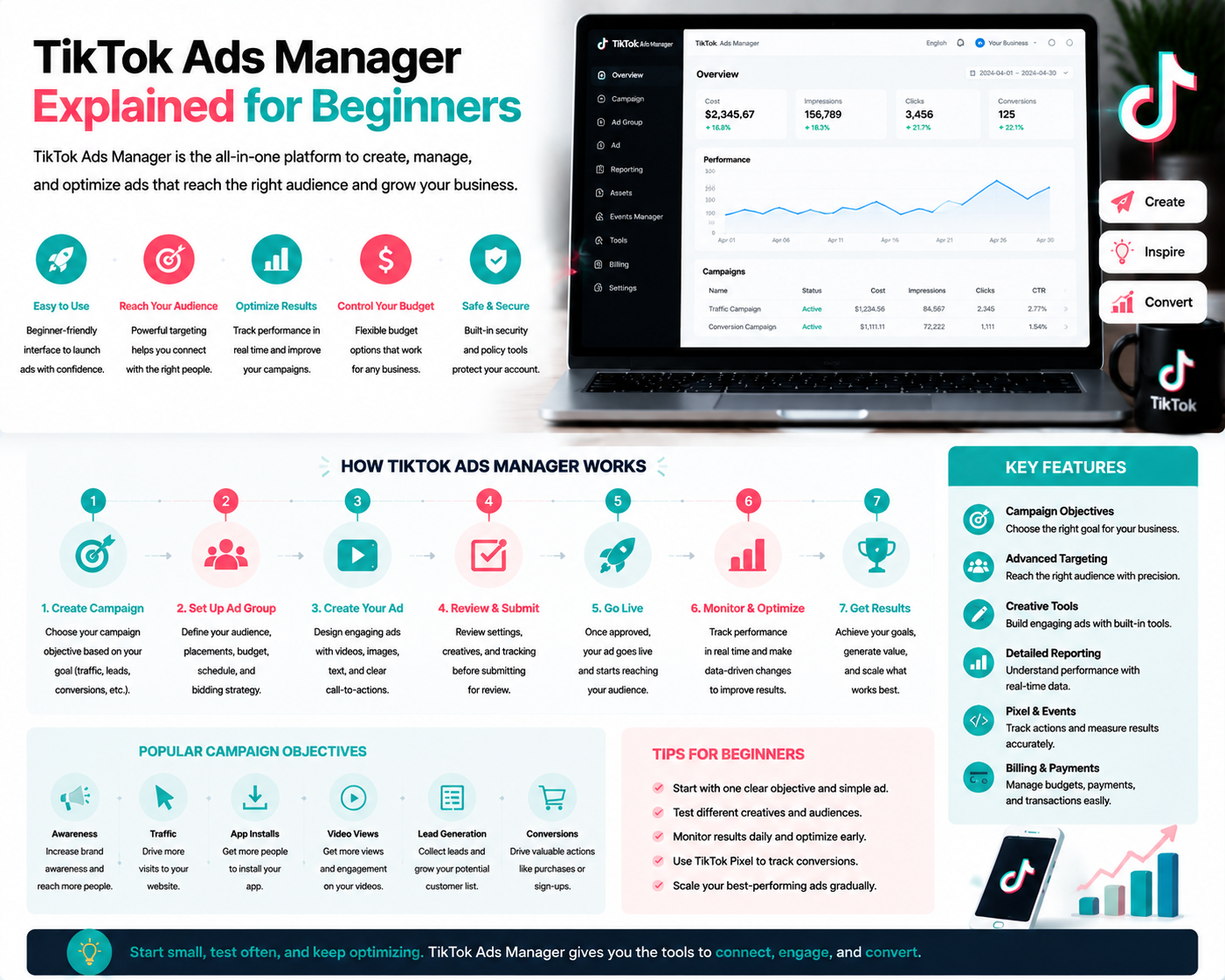
- Campaign Objectives: Choose goals such as traffic, conversions, or app installs.
- Audience Targeting: Reach users based on demographics, interests, and behaviors.
- Budget Management: Set daily or lifetime budgets for better control of ad spend.
- Creative Tools: TikTok offers templates and guidance for creating engaging videos.
- Reporting: Access real-time performance metrics to make data-driven decisions.
Common Mistakes Beginners Make
- Skipping account setup verification and missing tracking benefits.
- Using broad targeting without testing audience segments.
- Neglecting ad creative testing and iteration.
- Ignoring analytics and key metrics for optimization.
Quick Beginner Checklist for TikTok Ads Manager
- ✅ Create a TikTok Ads Manager account.
- ✅ Complete business profile and billing info.
- ✅ Install TikTok Pixel if applicable.
- ✅ Define campaign objectives and target audience.
- ✅ Upload and test ad creatives.
- ✅ Monitor metrics and optimize campaigns regularly.
FAQs
Q: Can I manage multiple campaigns at once?
A: Yes, Ads Manager allows multiple campaigns, ad groups, and creatives under one account.
Q: Do I need to install the TikTok Pixel?
A: While optional, it enhances conversion tracking and ad optimization.
Q: How can I learn which ads perform best?
A: Use the reporting tools in Ads Manager to track CTR, CVR, CPA, and ROAS for insights.
Final Thoughts
TikTok Ads Manager is a powerful tool for new advertisers. By understanding its dashboard, features, and best practices, beginners can confidently launch campaigns, track performance, and optimize results. Growifylab provides guides and resources to simplify Ads Manager navigation and campaign management for beginners.