What to Prepare Before Setting Up a TikTok Business Account
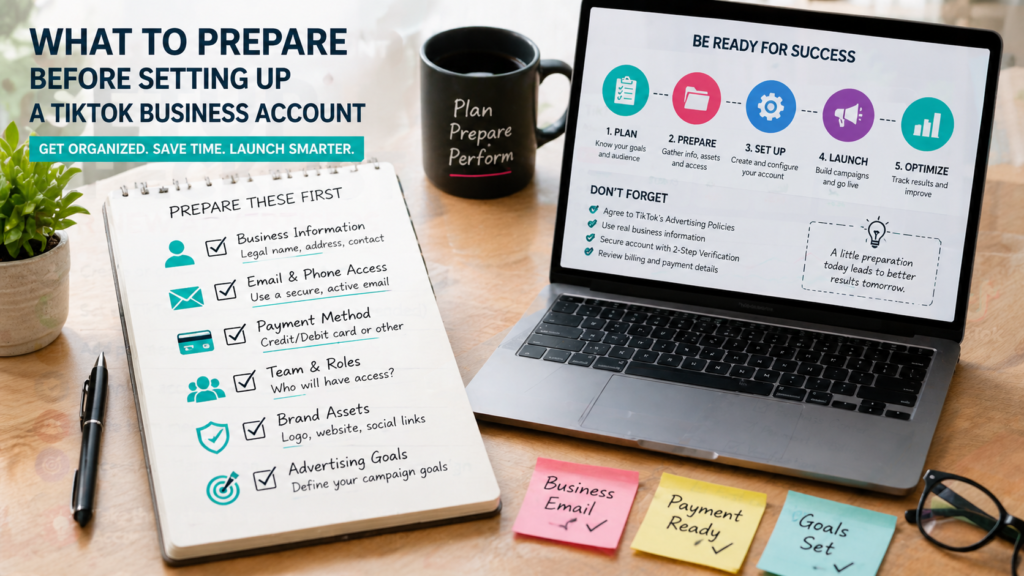
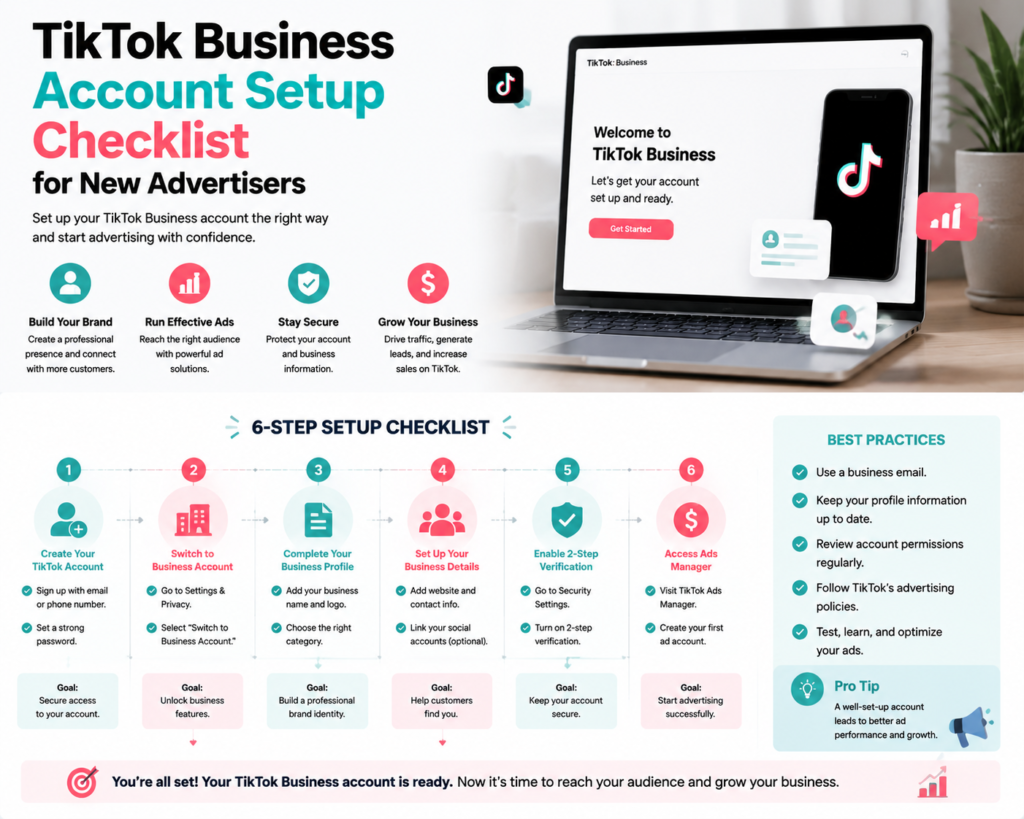
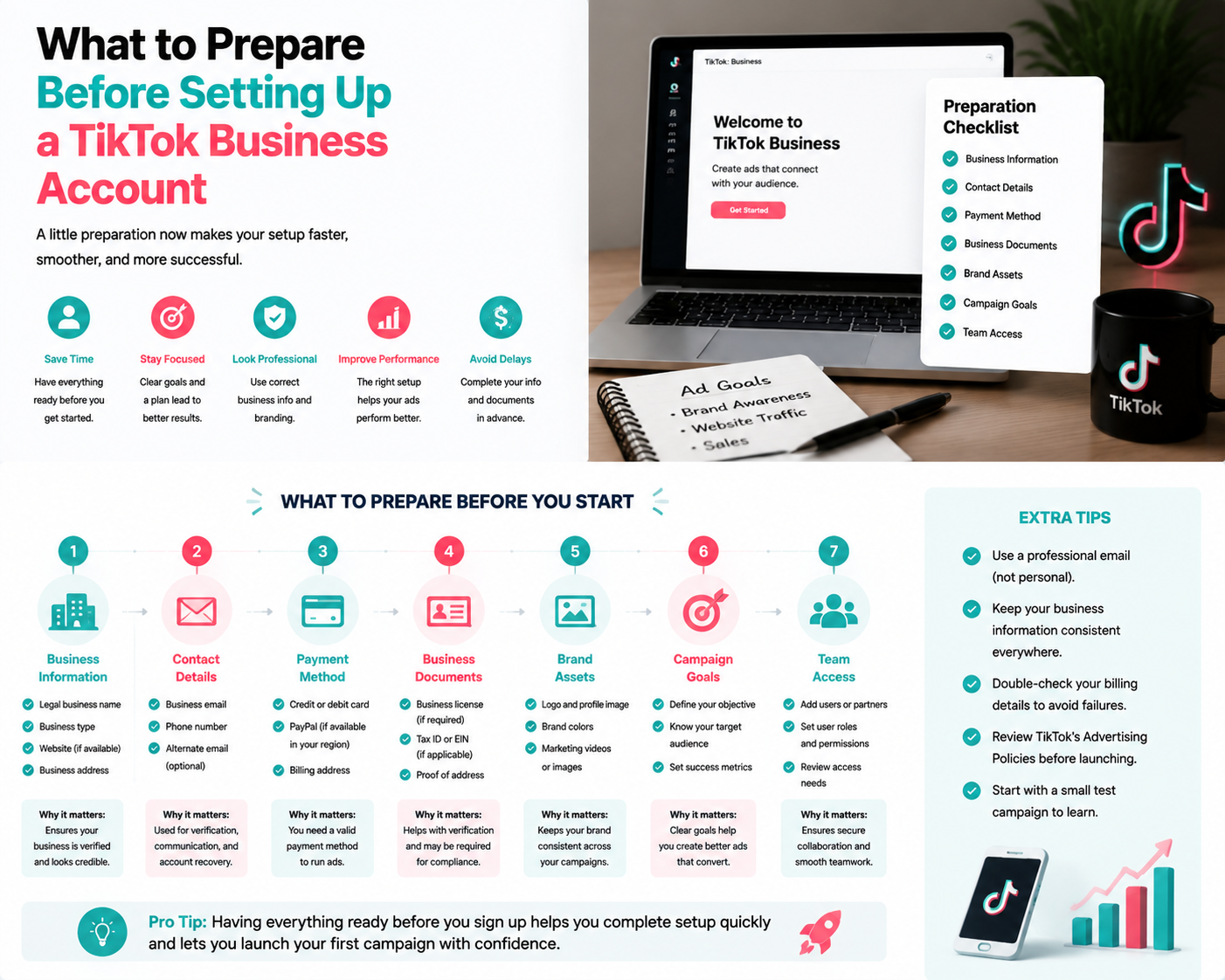
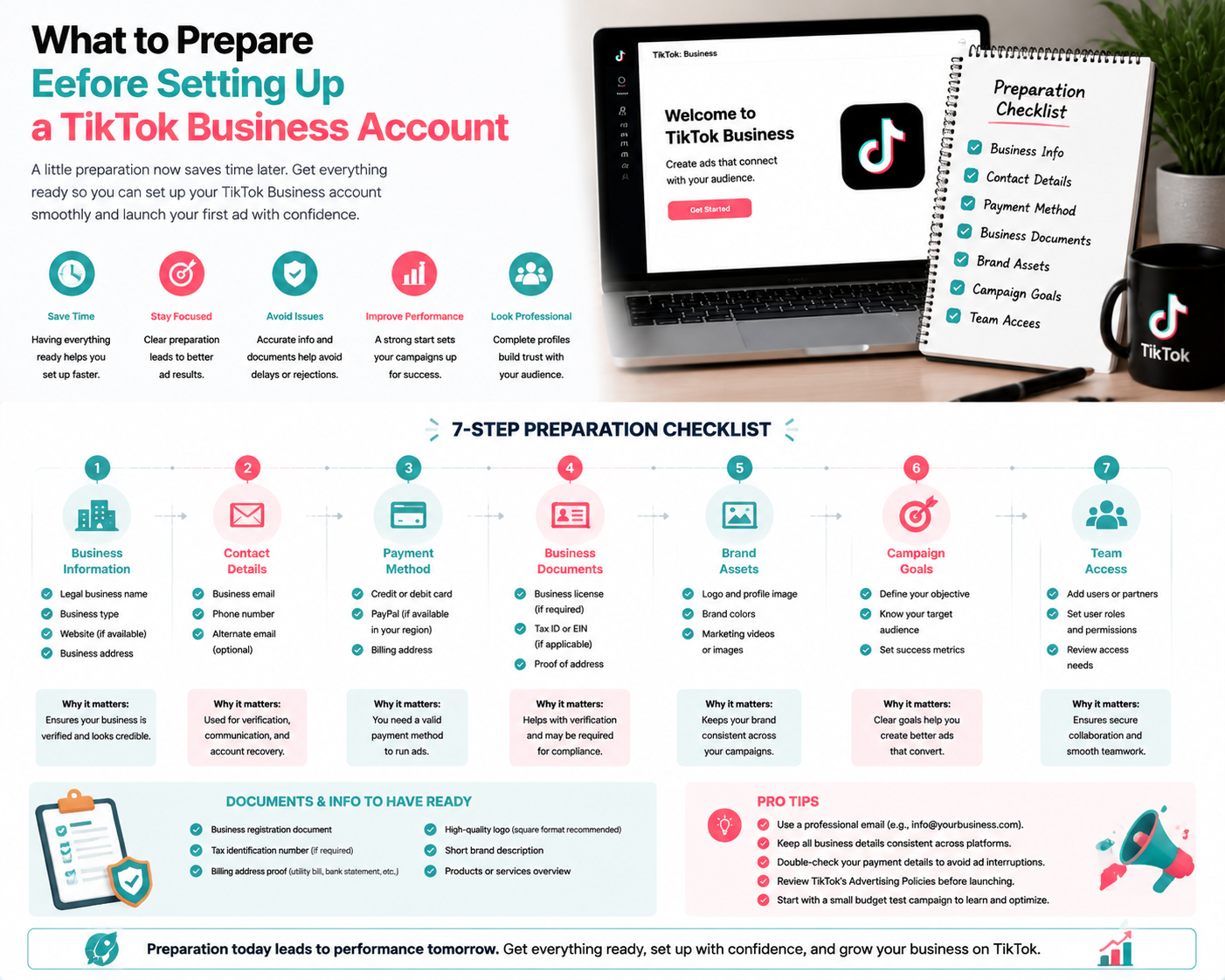
Before creating a TikTok Business account, proper preparation is essential to ensure a smooth setup and effective advertising campaigns. New advertisers can save time and improve campaign success by gathering necessary information and assets ahead of time.
1. Business Information
- Legal business name and contact details.
- Business email address and phone number for account verification.
- Website URL for advertising and tracking purposes.
- Business category or industry to align ad targeting and options.
2. Branding Assets
- Business logo in high resolution.
- Brand colors and fonts for ad creatives.
- Profile images and banners for social media presence.
3. Account Access and Permissions
- Designate who will manage the TikTok Ads account.
- Prepare login credentials and set strong passwords.
- Plan user roles and permissions for team members.
4. Payment Method
- Credit card, PayPal, or local payment option accepted by TikTok.
- Verify billing information matches business identity.
- Decide on daily or lifetime budget for initial campaigns.
5. TikTok Pixel Setup
- Install TikTok Pixel on your website to track conversions.
- Prepare access to website CMS or developer for integration.
- Ensure tracking of key actions such as leads, purchases, or sign-ups.
6. Advertising Goals
- Define objectives: brand awareness, traffic, app installs, conversions, or lead generation.
- Set measurable KPIs to monitor performance.
- Plan ad creatives, messaging, and call-to-actions aligned with goals.
7. Creative Assets
- High-quality videos or images tailored for TikTok’s vertical format.
- Clear messaging and call-to-action for each ad.
- Multiple creative variations for testing.
Quick Checklist Before Account Setup
- ✅ Business info collected and verified.
- ✅ Branding assets ready.
- ✅ Login credentials and permissions assigned.
- ✅ Payment method prepared.
- ✅ TikTok Pixel setup plan ready.
- ✅ Advertising goals defined.
- ✅ Creative assets prepared.
FAQs
Q: Do I need a TikTok Business account to advertise?
A: Yes, a Business account is required for TikTok Ads campaigns.
Q: Can I start without all creative assets?
A: You can start, but having assets prepared improves setup speed and ad performance.
Q: How long does account verification take?
A: Verification is usually quick but can take a few days depending on documentation and region.
Final Thoughts
Preparation is key to a smooth TikTok Business account setup. By gathering business information, branding, creative assets, and payment details in advance, new advertisers can launch campaigns more efficiently and effectively. Growifylab provides guidance and templates to simplify account setup and ensure best practices.