TikTok Ads Basics for New Advertisers
Getting started with TikTok Ads can be exciting yet challenging for new advertisers. TikTok offers a dynamic platform where businesses can reach millions of users through creative and engaging video content. Understanding the basics is essential to set up campaigns effectively and maximize return on investment.
Why TikTok Ads Are Effective
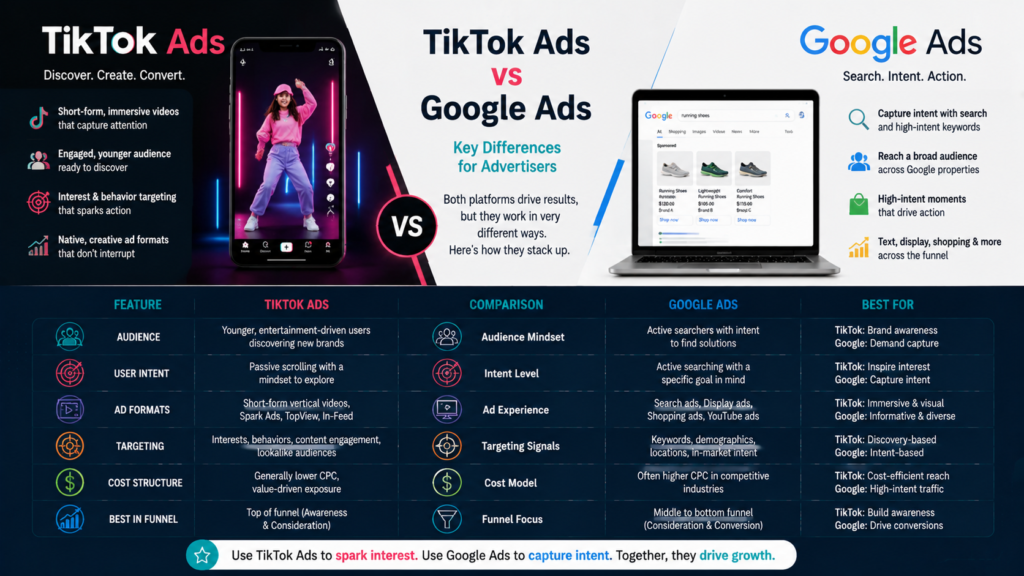
TikTok Ads allow advertisers to tap into a large and active audience. The platform’s algorithm promotes content based on user engagement, helping advertisers reach the right people with relevant ads. Benefits include:
- High user engagement and content virality.
- Targeting options based on demographics, interests, and behavior.
- Various ad formats to suit different campaign goals.
Setting Up Your TikTok Ads Account
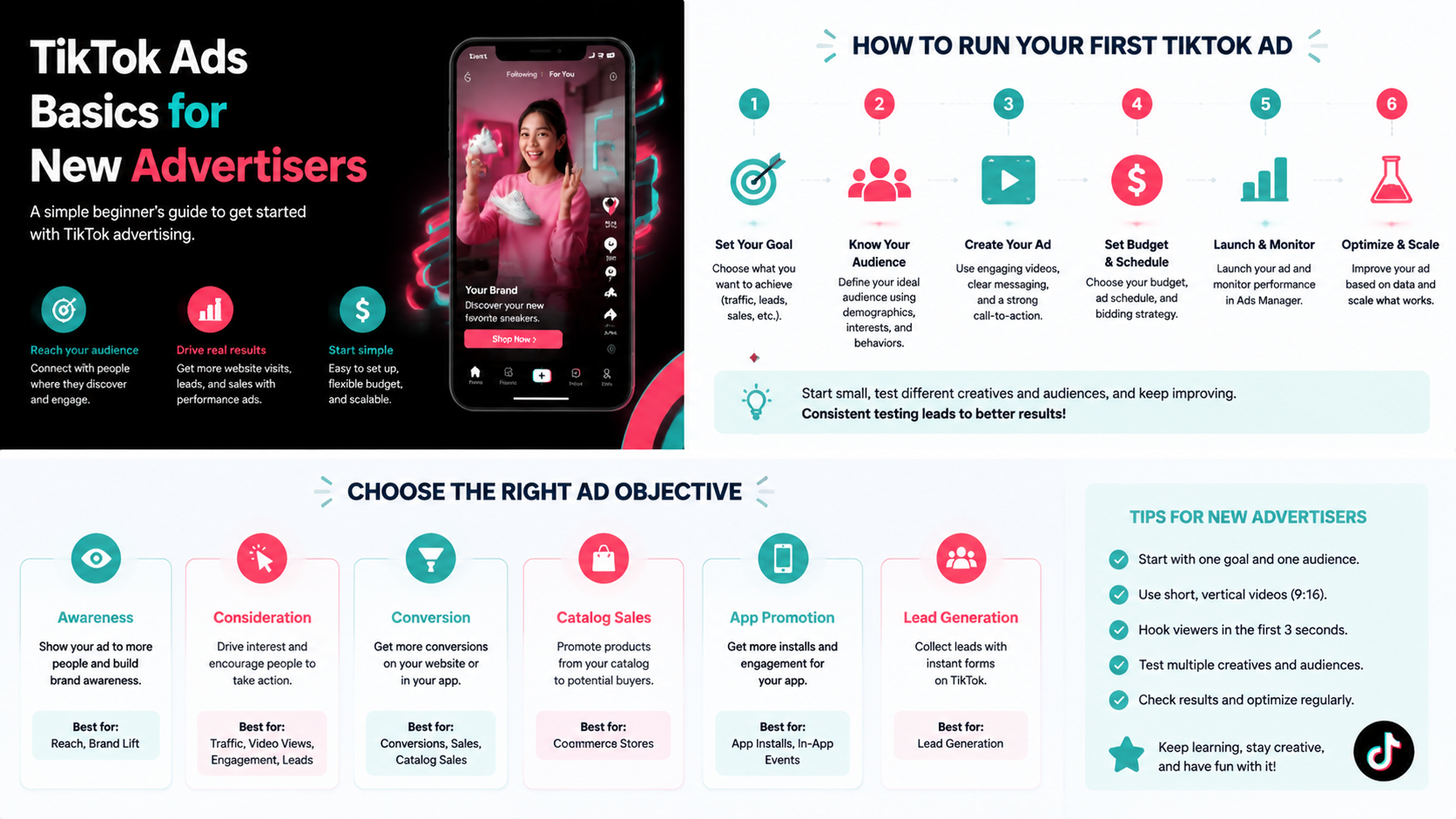
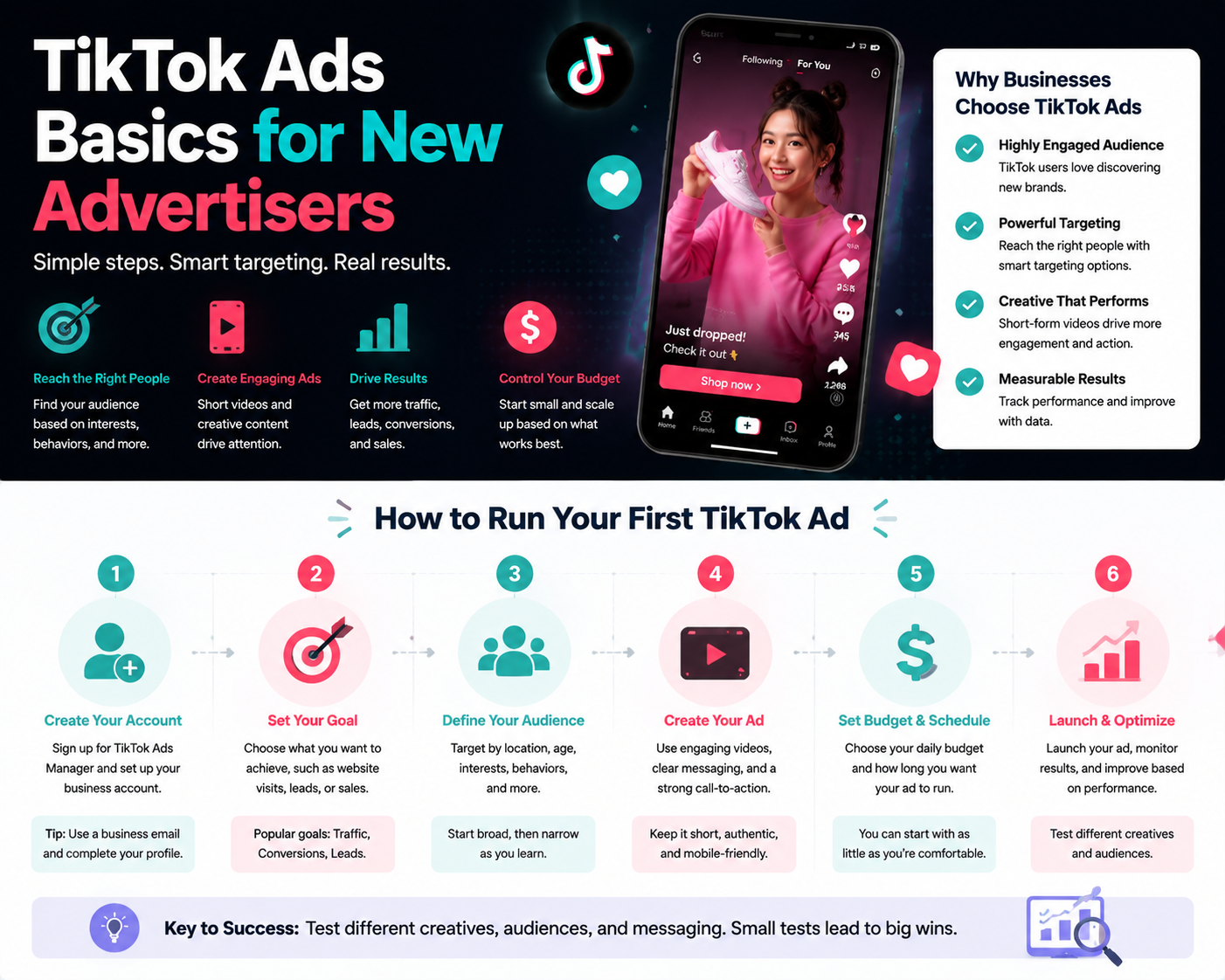
New advertisers should first create a TikTok Ads Manager account. Key steps include:
- Signing up with your business information.
- Setting up payment methods.
- Installing the TikTok Pixel on your website for conversion tracking.
Understanding TikTok Ad Structure
TikTok Ads are organized in three levels:
- Campaign: Define your campaign objective such as traffic, conversions, or app installs.
- Ad Group: Specify audience targeting, budget, placements, and schedule.
- Ad: Upload your creative including video, caption, and call-to-action.
Ad Formats Available
Common TikTok ad formats for beginners include:
- In-Feed Ads: Appear in users’ For You feed.
- TopView: Ads appear at the top of the feed for maximum visibility.
- Spark Ads: Boost organic posts to reach more users.
- Branded Content: Collaborate with influencers to promote products authentically.
Targeting and Budget Tips
New advertisers should focus on:
- Start with broad targeting to gather data, then refine based on performance.
- Set daily or lifetime budgets appropriate for testing creative variations.
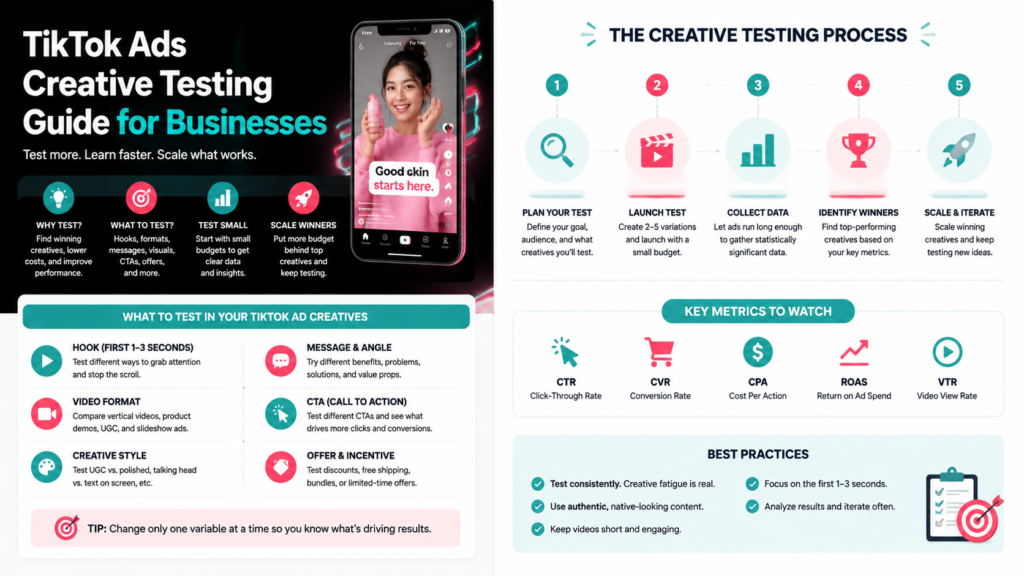
- Monitor metrics like CTR, CVR, and CPA to optimize campaigns.
Common Mistakes to Avoid
- Launching campaigns without clear objectives.
- Ignoring creative testing.
- Overcomplicating targeting at the start.
- Neglecting performance monitoring and optimization.
Quick Starter Checklist
- ✅ Create TikTok Ads Manager account.
- ✅ Set up payment and tracking.
- ✅ Define campaign objectives.
- ✅ Test multiple ad creatives.
- ✅ Monitor performance and optimize.
FAQs
Q: How much budget is needed to start on TikTok Ads?
A: It can vary; start small to test creatives and audience targeting before scaling.
Q: Can I advertise without a TikTok Pixel?
A: Yes, but using the Pixel improves conversion tracking and campaign optimization.
Q: Which ad format is best for beginners?
A: In-Feed Ads are recommended for starting, as they are easier to set up and manage.
Final Thoughts
Starting with TikTok Ads requires planning, testing, and monitoring. By understanding ad structure, formats, and targeting options, new advertisers can run effective campaigns and gradually improve results. Growifylab offers helpful resources and tips for beginners to get the most out of TikTok Ads.